Updating "Stream Only" Rights to Stream & Download
The system allows you to update an assignment and make it available for download. Please follow the steps below.
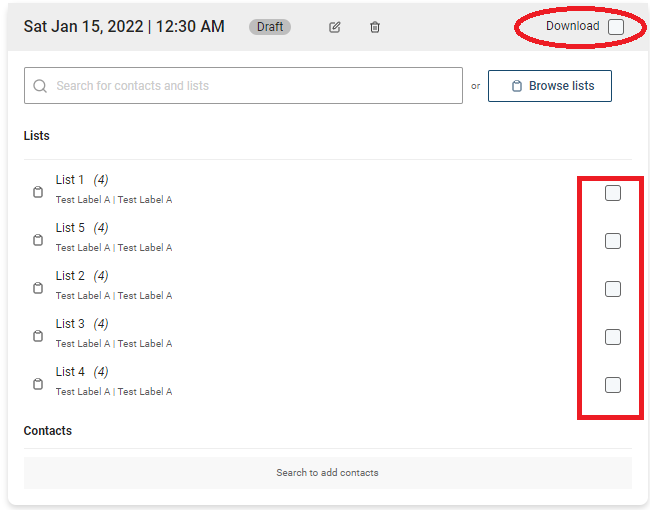 1) Log into https://caster.plaympe.com
2) Go to Releases
3) Click the 3 dots next to the release and select edit.
4) Go to Step 4
2) Go to Releases
3) Click the 3 dots next to the release and select edit.
4) Go to Step 4
5) Select the list(s) you want to to have download access. If you want all list to have download access, select the download box on the upper right hand part of the schedule.
6) Click Continue on lower right hand part.
7) Click Publish in Step 5.