How to clear cache & cookies (Chrome)
1) Press F12 on your keyboard to open the developer tools.
2) In the developer tools section, go to Application tab.3) Select Storage and then clear site data.
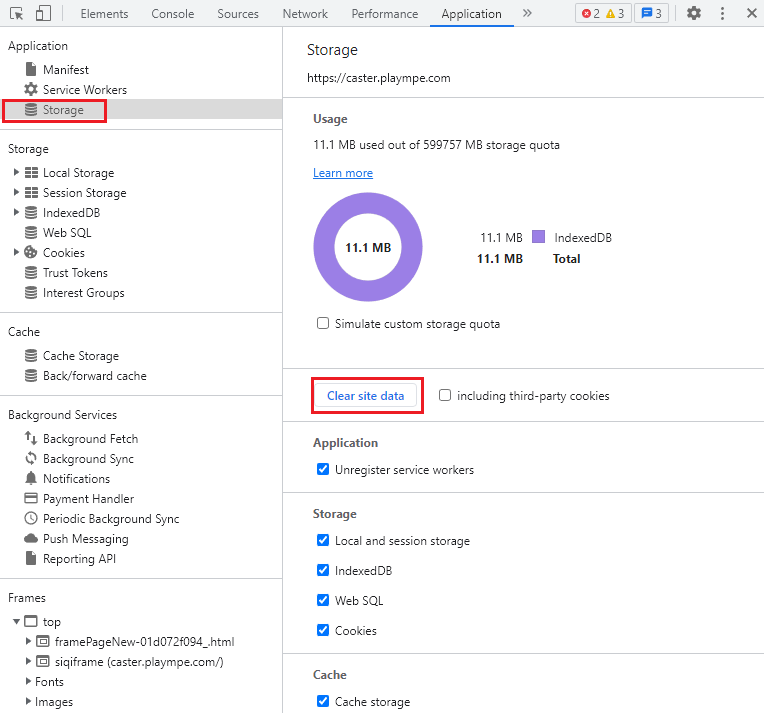
5) Expand Session Storage, right click on https://caster.plaympe.com and clear it.
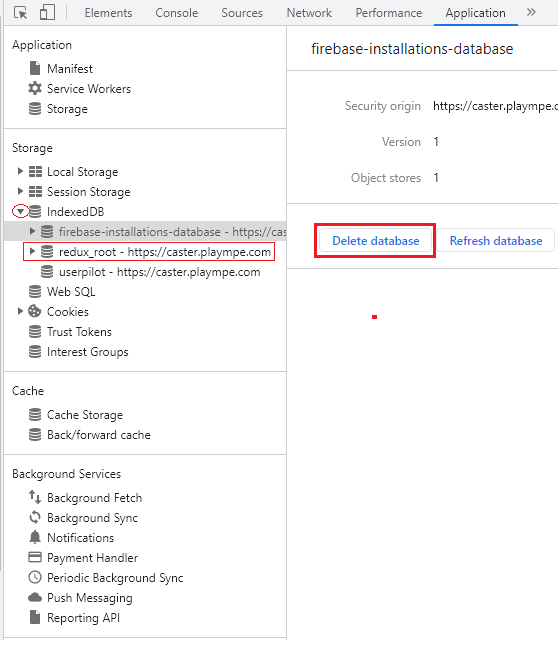
6) Expand Indexed DB, click on redux root - https://caster.plaympe.com and then select delete database.
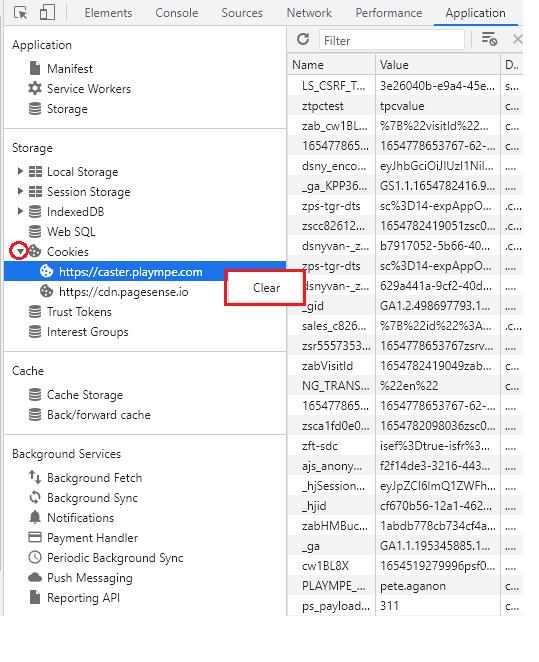
7) Expand Cookies, right click on https://caster.plaympe.com and clear it.
8) Close the developer tools (x on the upper right hand section of the browser).
7) Expand Cookies, right click on https://caster.plaympe.com and clear it.
8) Close the developer tools (x on the upper right hand section of the browser).
9) Close your browser. Go to https://caster.plaympe.com and login again.